An AI art bot that turns selfies into superheroes, restyles photos as Ghibli or Pixar, swaps backgrounds and chats with AI. Free to start.
About TrendyAI | AI Art & Photo Editor Bot
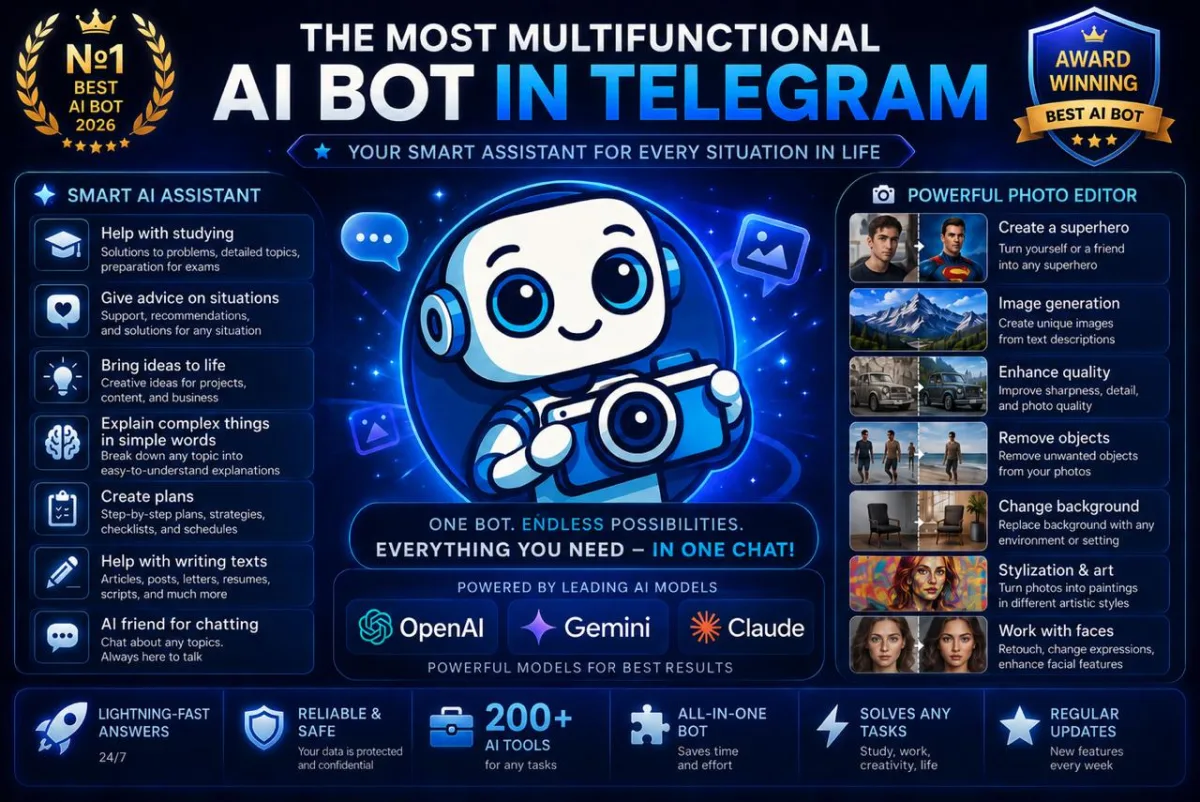
TrendyAI is a Telegram bot for AI art and photo editing in one chat. Send a selfie and get it back as a themed character or superhero. Send any photo and have it redrawn in Ghibli, Pixar, anime, Minecraft-like or clay style. No photo? Describe an image in words and it generates one.
It introduces itself as Trendy and keeps the tone friendly and direct: pick a task, and it walks you through the next steps.
What you can make
- Characters and superheroes from your selfie
- Restyled photos in art styles such as Ghibli, Pixar, anime, Minecraft-like and clay
- Images generated from a text description
- Edited photos: remove, replace or blur the background, change how you look in a selfie, improve quality, apply portrait filters
You can edit by writing what you want in plain words, or use the ready-made templates if you'd rather not think up a prompt. Results arrive in a few seconds.
Chat as well
Trendy is also a general AI chat. Ask questions, brainstorm, or talk about a photo you've just sent, and switch between different AI models and roles depending on the task.
Free start, paid plans
The bot is free to start: /free shows how many free edits you have left. Paid subscription plans are listed under /plans, and /invite gives you a link to bring in a friend. The interface comes in 11 languages, changed with /language.
It suits anyone who wants a quick avatar, a fun restyle of a family photo or a clean background swap, without opening an editor.
Features
- Selfie to themed character or superhero
- Style filters including Ghibli, Pixar, anime, Minecraft-like and clay
- Text-to-image generation from a written idea
- Background removal, replacement or blur, plus quality enhancement and portrait filters
- AI chat with a choice of models and roles, including chat about a photo
- Interface in 11 languages, switched with /language
How to use TrendyAI | AI Art & Photo Editor Bot
- 1 Open @trendyai_bot in Telegram and press Start.
- 2 Send a selfie or photo, or write what you want to see, or open /menu to pick a task.
- 3 Choose a style, character or edit, or type a prompt describing the change.
- 4 Get the result in a few seconds and check /free for your remaining free edits.
FAQ about TrendyAI | AI Art & Photo Editor Bot
Is TrendyAI free?
It's free to start: /free shows your free edits. Extra use goes through subscription plans, listed under /plans.
Can it turn a selfie into a character?
Yes. Send a selfie and choose a themed character or superhero style, and the bot returns your photo redrawn that way.
Can it generate images from text?
Yes. Describe the picture you want in a message and it creates the image for you.
Does it work in other languages?
The interface offers 11 languages. Use /language to switch.